01 · Research
The friction is social as well as practical.
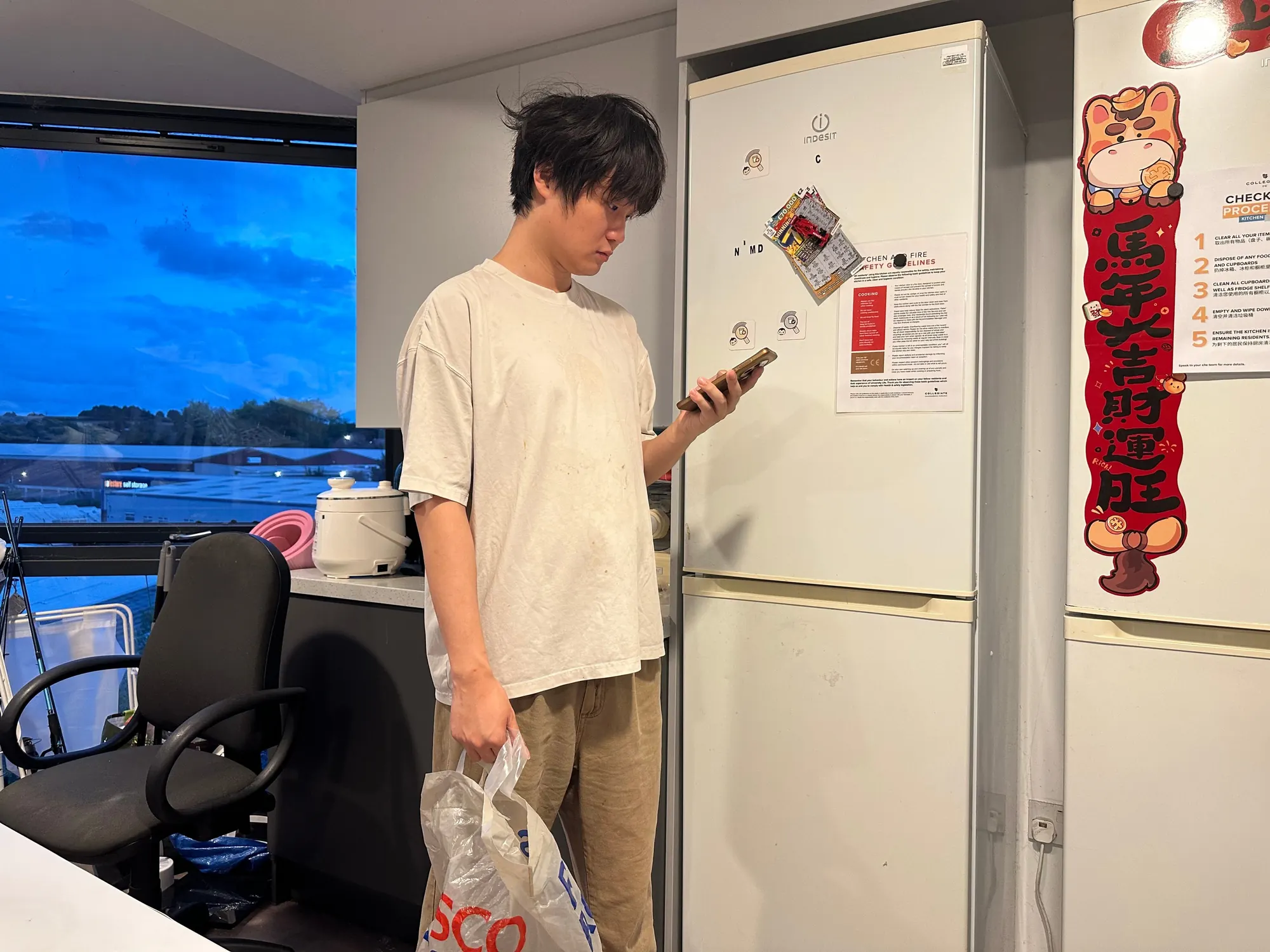
I conducted five interviews about existing shared-fridge habits. The problems went beyond forgotten items: hesitation about reminding someone, recurring care work falling to one person, and repeated conflict around unclear boundaries.
U02 worried that a group message could sound like a complaint; U01 carried the work of checking and organising; U05 described how boundaries and capacity pressure affected participation. These are individual accounts, not population-level statistics.
Make the next shared action clearer without turning a reminder into a public record of who failed.
02 · Reframing
Reduce the burden instead of building a bigger inventory.
A complete inventory depends on people continually entering and maintaining information. That can add work for the person already doing the organising. I shifted toward moments that need coordination: putting something in, checking or handling it, shopping and moving out.
Declare a plan
Capture the chosen plan rather than demand a complete inventory.
See what needs attention
Group by area rather than attaching a problem label to a person.
Respect ownership
Seeing an item does not give someone permission to dispose of it.
03 · Interaction rules
Location, ownership and permission are separate.
I separated where an item is, who claims it and what someone else may do with it. Unclaimed items retain unknown ownership. Neither a location nor a photograph automatically establishes an owner or permission to act.
The House view groups items by area, not by person. The character describes situations without judging people. The interface does not determine food safety; judgement and action remain with the person.
04 · Physical & digital
Put the entry where the action happens.
Add and Manage are two clear entry points on the fridge door: record an intention when putting something away, or review what is already there. NFC links and a QR fallback connect the physical prompt to the detailed phone flow.
The penguin gives reminders a caring tone. I used AI-assisted visual iteration, then selected and refined a consistent character system. Character preference and entry-point reliability still require participant testing.




05 · Prototype & outcome
A working journey, with clear evidence boundaries.
The final v1.7 functional prototype brings seven routes and both languages into one page. A researcher demonstration documents the sequence of touching the entry, working with an item, entering details and confirming a plan.
The interviews investigated habits; participants did not formally test the design. The demonstration establishes that the flow runs, not adoption, preference or reduced food waste. The shared view uses example records in one browser without cross-device synchronisation.
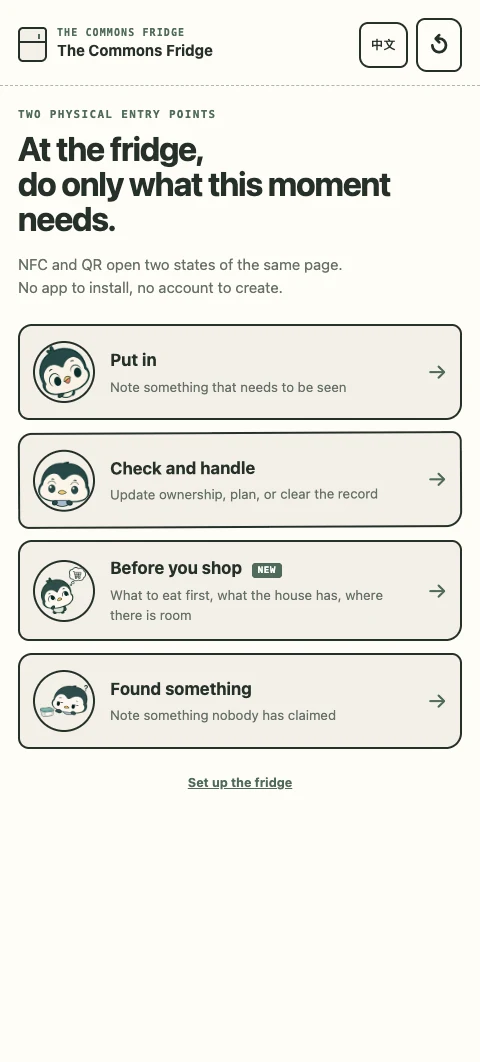
At the fridge, do only what this moment needs.
On the left is the deployed v1.8 bilingual functional prototype itself. Records live only in this browser as fictional examples; nothing is uploaded or shared with anyone.
Try “Put in”: choose a plan and save it. Then open “Check & handle” and see why a “not sure whose” item cannot simply be cleared.
Embedded from the public deployment (GitHub Pages). The prototype labels its version and its researcher self-test status on every screen; it shows that the flow runs, not adoption or reduced waste.
06 · Next iteration
Observe use before claiming effectiveness.
The next iteration would test whether first-time users understand the plan-based framing, then compare character directions and NFC entry points. A comparison kit exists but was not run; future testing needs an appropriate research scope and consent process.
I would also seek a household that successfully maintains a shared inventory. The existing sample describes failure more fully; a counterexample could clarify which complexity is useful and which can be removed.
Source: Figma project file ↗ · Access follows the source file’s sharing settings.