01 · Product model
One rule connects the creator and the fan.
PlayBook aimed to keep the relationship between creators and fans continuous across content platforms. Tasks, collectible items and crafting rules offered ways for fans to express participation. The product needed to complement existing channels and lead people back to the creator’s content.
I designed Studio’s UX and UI, alongside the App’s UX flows and interaction states. Another designer created the App’s visual UI. Both sides shared a core challenge: a freely configured rule must become understandable when someone uses it.
Configure
Creators organise campaigns, tasks, items and crafting rules.
Participate
Fans find tasks in a creator’s community and acquire items.
Express connection
Collecting, using and displaying items reflects the relationship with the creator.
02 · Studio
Show the logic while the rule is being edited.
The rule editor places required inputs, optional inputs, conditional branches and outputs on one canvas. In the source example, a gamepad and battery are required, while a supercharger is optional. Selecting it changes how an output attribute is calculated.
This structure makes the relationship between inputs and outcomes traceable. Its trade-off is canvas complexity: greater flexibility makes it more important to test whether first-time creators can find the entry point, explain their rule and correct mistakes.
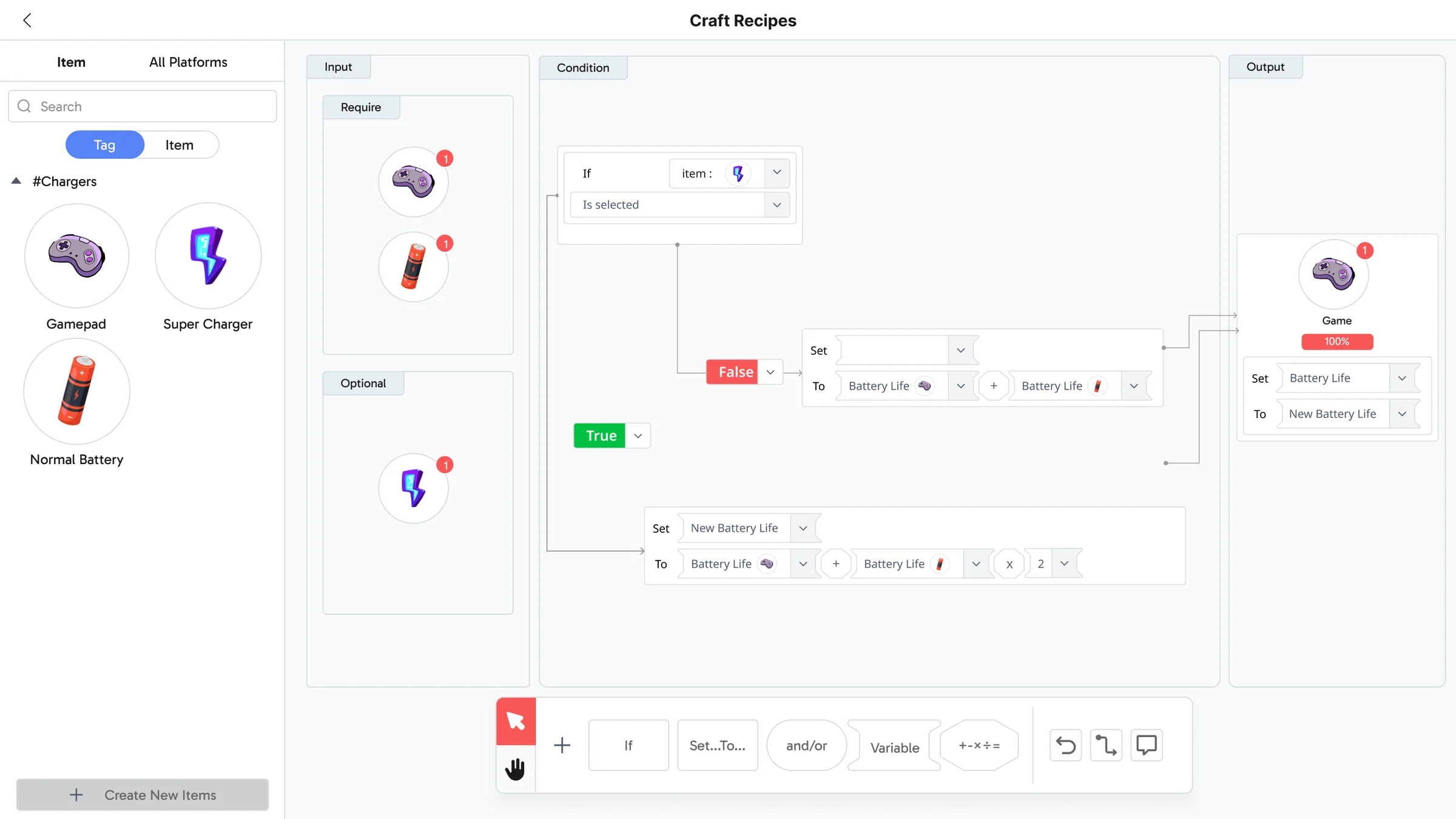
Pick a step to move to that part of the original screen.
Screen from the PlayBook Studio source file (UX and UI are my work). The tour only pans and annotates; the interface itself is unchanged. This is deterministic rule editing, not an AI workflow.
03 · App
Make the cost clear before the fan confirms.
An early direction explored a more game-like “furnace” interaction. Product discussions led me toward a more direct recipe-browsing flow: inspect requirements, understand readiness, then confirm consumption and possible outcomes.
Missing materials, requirements met and confirmation are distinct states. Even quick crafting needs to make the consequence clear before the user commits.
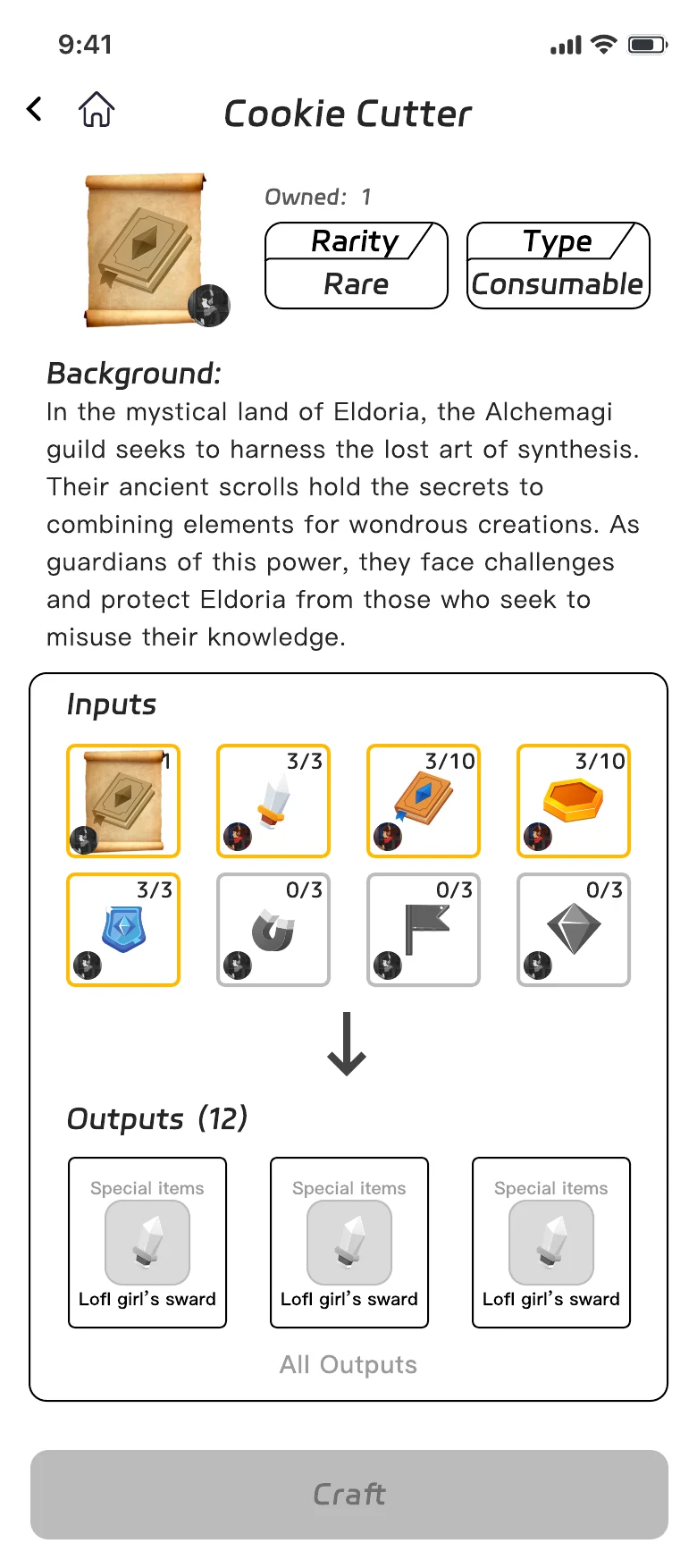
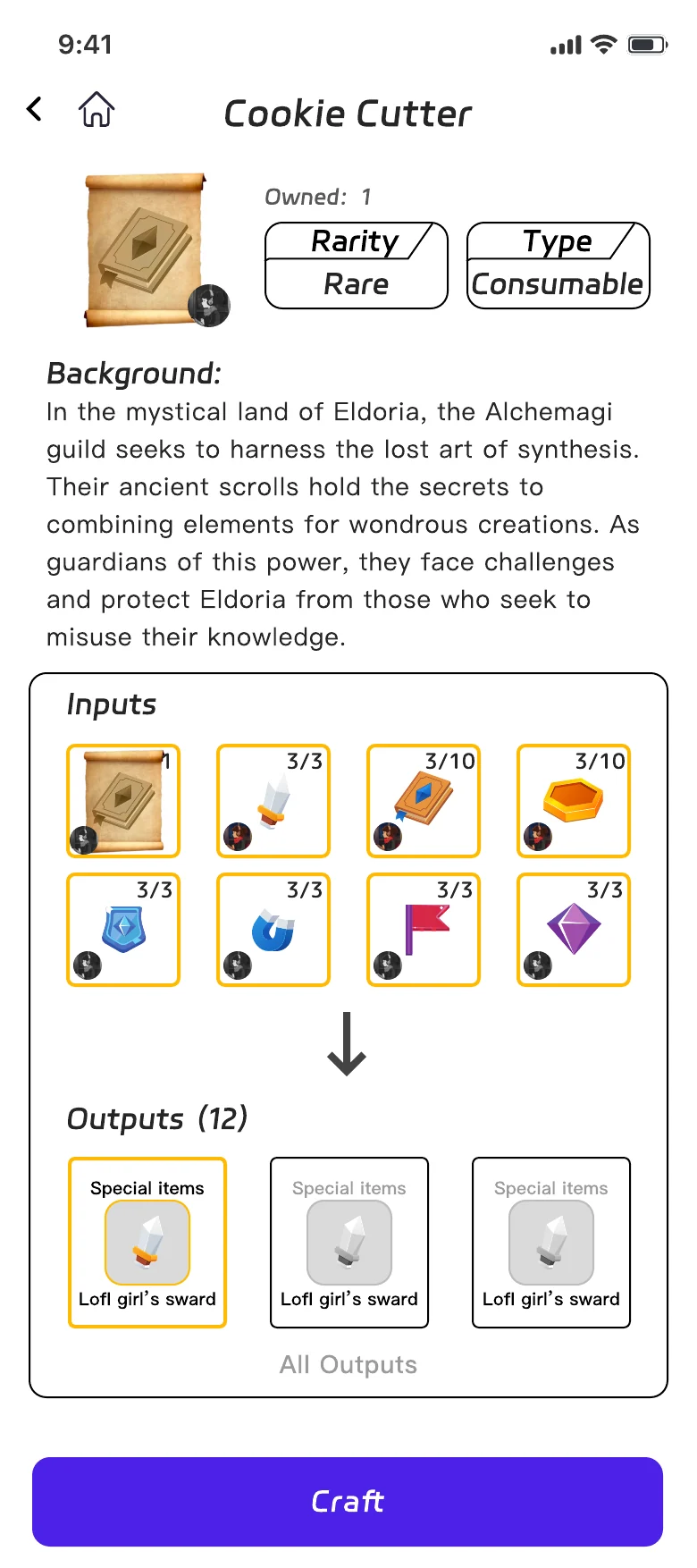
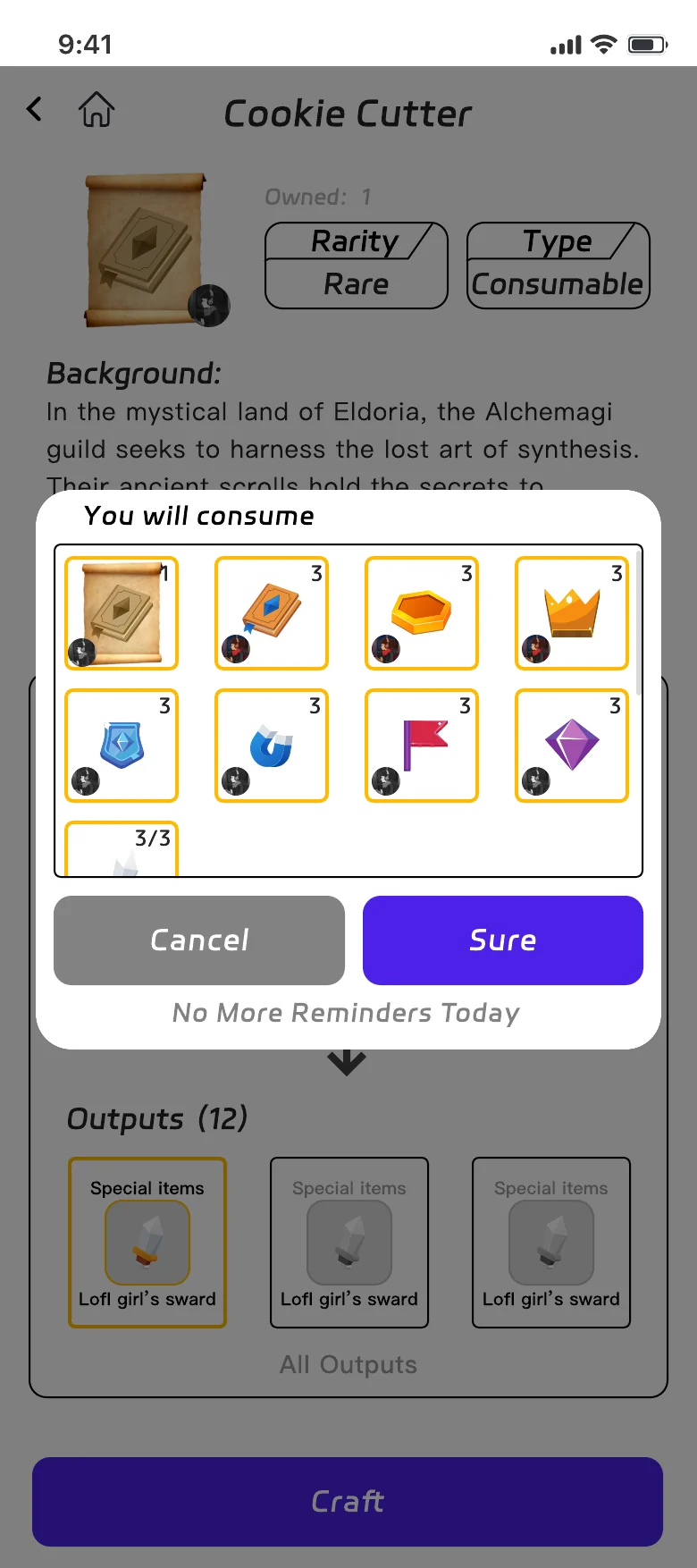
See the cost before crafting
These are the three original states of the PlayBook App crafting flow. Tap the real controls to move on; a control that is disabled in the source stays disabled here.
Three inputs are greyed out — there are not enough of them in the inventory. Craft stays disabled instead of failing after the tap.
Try the grey inputs or Craft, then use the steps to jump to “Requirements met”.
Screens from the 2023–24 PlayBook App source file: flow and states are my UX; the visual UI is by another designer. Hotspots were added for this portfolio; no states were invented.
04 · Context & discovery
Keep community context coherent, but discovery open.
Home, items and missions need to answer the same question: whose community is this? I treated creator selection as shared context so related content remained coherent.
I initially favoured search within a single creator’s world. In the October 2023 product reviews, creator collaboration emerged as a central goal. We moved toward a dedicated global search covering creators, items, recipes and users, retaining local context for everyday tasks.
Consistent context helps people orient themselves. A boundary that is too strict can prevent the connections the product needs.
05 · Feedback & collaboration
Small progress should not always interrupt.
In reviews, I argued that routine tasks and significant achievements should not receive equally intrusive feedback. Frequent full-screen dialogs interrupt the experience. Lighter feedback can support everyday progress, while valuable rewards keep an intentional claim step.
Screens, states and interaction demonstrations brought these trade-offs into product discussions and supported product and investor communication. The design made abstract rules concrete enough for the team to examine together.
06 · Outcome & reflection
The team could discuss behaviour, not just screens.
The delivery included Studio UX/UI, App UX flows and states, and demonstration prototypes. Team changes interrupted further improvements before a complete development hand-off, so this case presents design and prototype outcomes.
Next, I would test a recipe from both sides: can a creator explain the rule they just made, and can a fan predict its cost and result before confirming? Understanding, completion and recovery matter more than screen count.
Source: Figma project file ↗ · Access follows the source file’s sharing settings.